

Game Mechanics
GPS Geolocation
Section titled “GPS Geolocation”The core mechanic of MooveTeam. GPS transforms any physical space into a playing field.
How It Works
Section titled “How It Works”- Place challenges at specific GPS coordinates from the back-office
- Players see the points on the app map
- When a player physically approaches a location, the challenge activates
- The team completes the challenge and earns points
Activation Variants
Section titled “Activation Variants”| Type | Mechanism | Use |
|---|---|---|
| GPS Proximity | The device detects proximity to the coordinates | Outdoor, cities |
| Map Tap | The player taps the icon on the map (configurable) | More open-ended events |
| QR Code | Scan a physical QR code | Indoor, museums, offices |
| Manual (code) | The player enters an activation code | Indoor, staffed events |
| Chaining | A completed challenge activates the next one | Narrative sequences |
Scoring System
Section titled “Scoring System”Points per Challenge
Section titled “Points per Challenge”Each challenge awards a configurable amount of points upon completion. The score determines the real-time ranking.
Custom Score Labels
Section titled “Custom Score Labels”Organizers can rename the scoring unit from “points” to anything that fits the event theme — “coins,” “stars,” “gold,” etc. The CMS provides separate singular and plural fields (max 50 characters each). If not set, the app uses the default localized label for the device language.
Rankings
Section titled “Rankings”- Global ranking: Overall leaderboard of all teams
- Segment ranking: Leaderboard limited to the active segment (configurable)
- Alliance ranking: Combined score of allied teams
Routes and Itineraries
Section titled “Routes and Itineraries”Concept
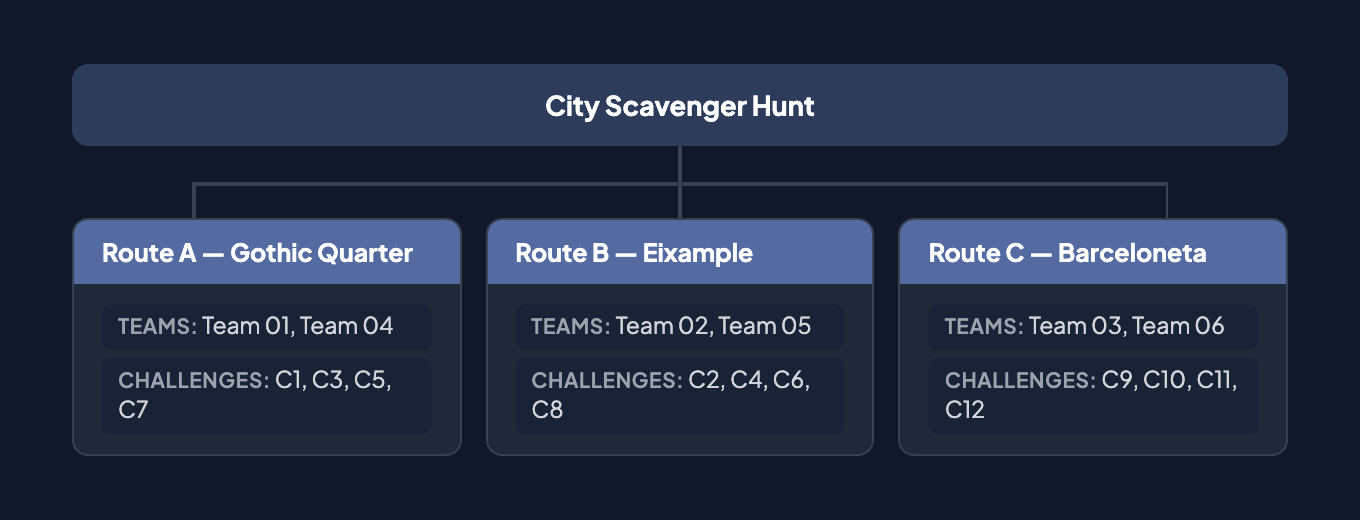
Section titled “Concept”Routes allow different teams to follow distinct paths within the same event, avoiding crowding and creating variety.
Route Design
Section titled “Route Design”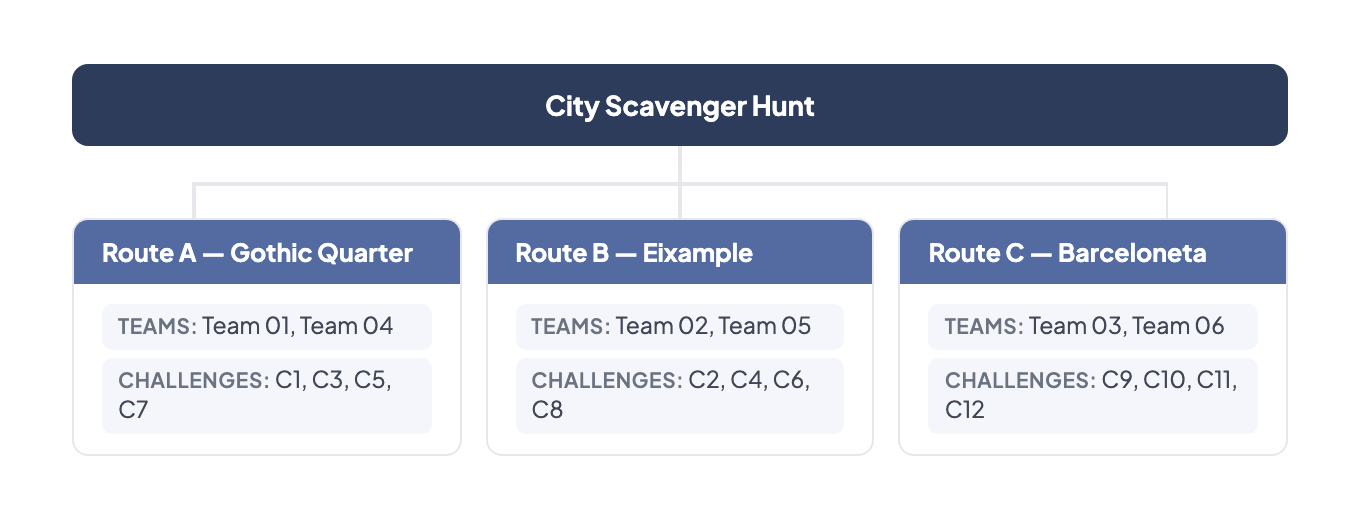
Benefits
Section titled “Benefits”- Prevent all teams from being at the same point
- Create different experiences within the same event
- Adapt difficulty per route
- Cover wider geographic areas
Segments and Progression
Section titled “Segments and Progression”Concept
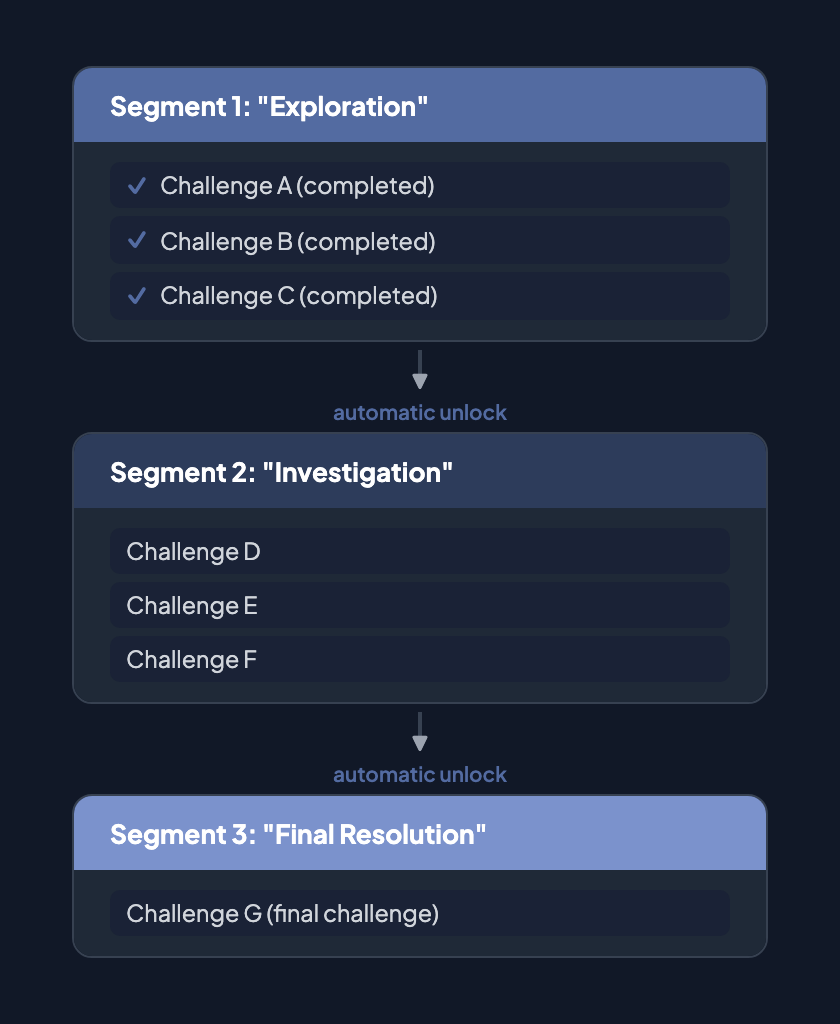
Section titled “Concept”Segments divide an event into phases or levels, creating a progression where teams must complete a group of challenges before advancing.
Progression Flow
Section titled “Progression Flow”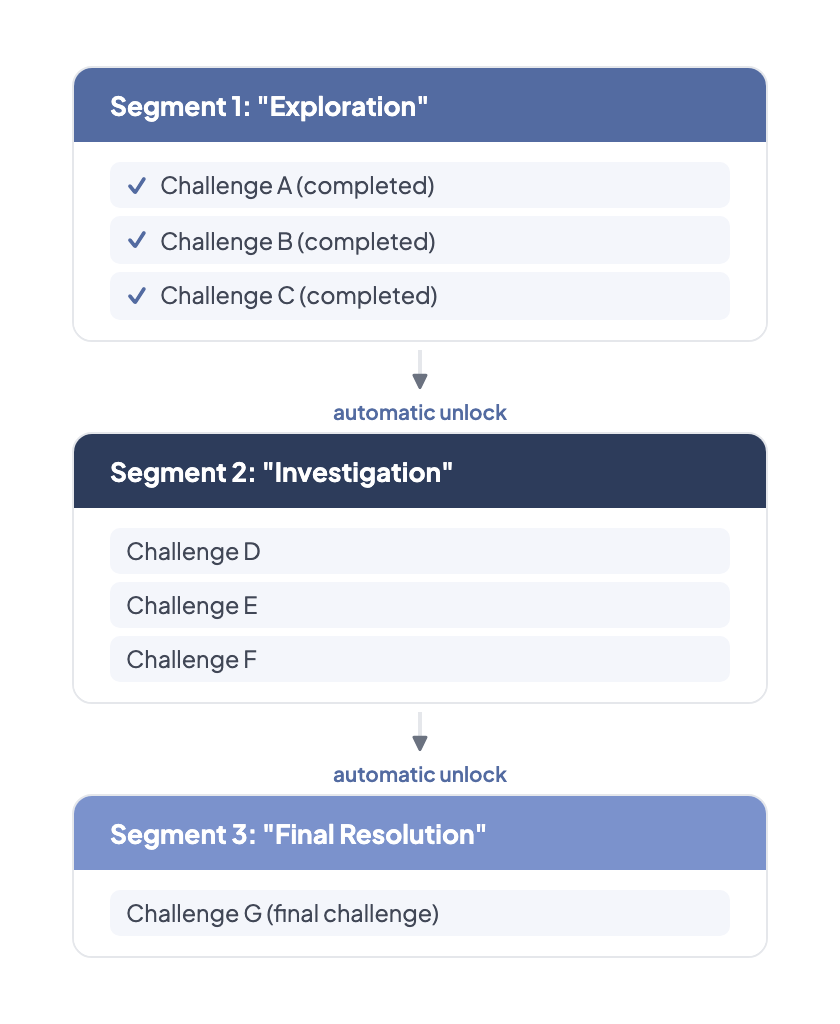
Dynamic Segments (Premium)
Section titled “Dynamic Segments (Premium)”Dynamic segments add advanced logic:
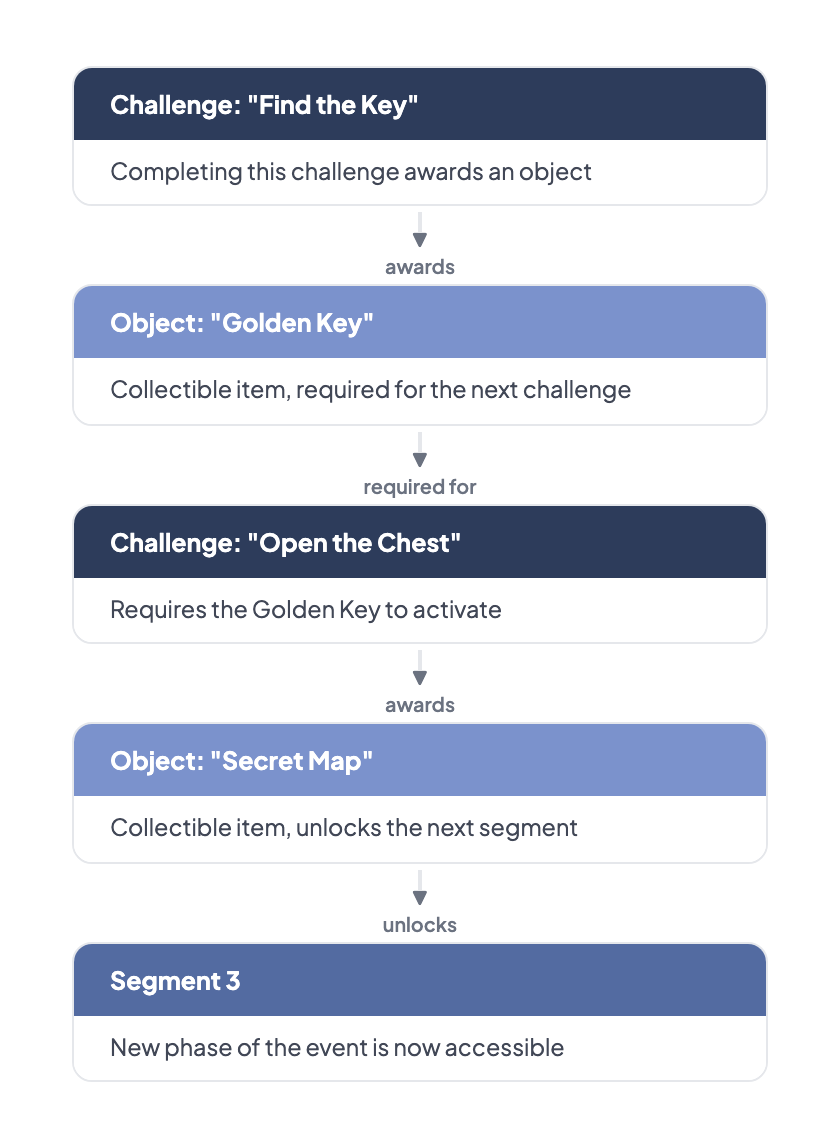
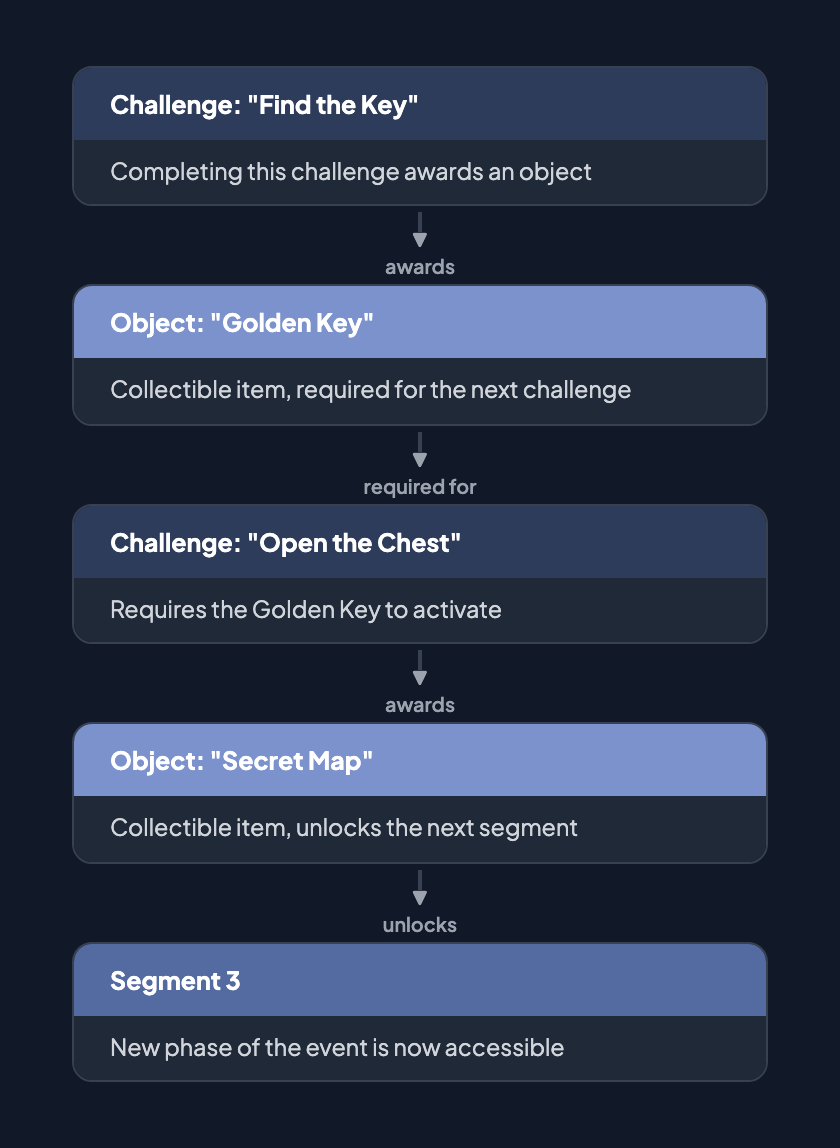
- Unlock by collecting objects
- Conditional unlock (if the team has object X, it gains access to segment Y)
- Timed unlock (activates after a certain time)
Premium Features
Section titled “Premium Features”The following segment-related features are marked with a crown icon and require a premium subscription:
- Segment switching lock — prevents teams from returning to previous segments
- Active segment ranking — shows ranking only for the currently active segment
- Hide chat — disables the in-game chat for specific segments
Objects and Collectibles
Section titled “Objects and Collectibles”Object System
Section titled “Object System”Objects create a strategy layer by requiring teams to collect items to progress.
AR Objects
Section titled “AR Objects”Objects can have a 3D representation (glb/gltf format) that players can view in augmented reality through their device camera.
Gadgets and Sabotage
Section titled “Gadgets and Sabotage”Concept
Section titled “Concept”Gadgets are sabotage tools that add competitiveness. A team can use a gadget to hinder other teams.
Mechanic
Section titled “Mechanic”- Teams receive an initial stock of gadgets
- During the game, they can “send” a gadget to another team
- The gadget affects the receiving team (delays their progress, temporarily blocks them, etc.)
Strategy
Section titled “Strategy”- Deciding when to use gadgets (timing)
- Choosing which team to target (competitive strategy)
- Managing the limited gadget stock
Alliances and Cooperation
Section titled “Alliances and Cooperation”Concept
Section titled “Concept”Alliances group teams that must cooperate to achieve joint success. Allied teams share their score.
Alliance Inventory
Section titled “Alliance Inventory”When teams are assigned to an alliance, they can view each other’s collectible item inventory in the player app. The Inventory screen shows a Personal/Alliance tab bar, where the Alliance tab lists all member teams and their collected items. This feature activates automatically when teams have alliance assignments — no separate CMS toggle is needed.
Typical Use
Section titled “Typical Use”- Large events with many teams
- Encouraging inter-team cooperation
- “Faction war” dynamics
Live Monitoring
Section titled “Live Monitoring”Back-Office (MooveTeam CMS)
Section titled “Back-Office (MooveTeam CMS)”From the admin panel you can:
- GPS Tracking: View the position of all teams in real time on the map
- Live Scoring: View the ranking updated in real time
- Staff Profile: The staff profile in the app allows monitoring without the back-office
Staff App
Section titled “Staff App”You can assign teams as “Organization Staff,” granting them access to monitoring features from within the app itself.
Visual Customization
Section titled “Visual Customization”Themes
Section titled “Themes”There are 4 event themes: Default, Christmas, Pirates, and Halloween. Themes are set per event in the CMS. Each theme changes:
- Colors, fonts, and overall visual style
- Map tile style and icons
- Sound effects (activation, win, lose, interaction)
- Gadget visuals
- Photo editor stickers
- Ambient particle effects (e.g., snow for Christmas)
Per-Challenge Custom Sounds
Section titled “Per-Challenge Custom Sounds”Individual challenges can have custom audio files that override the theme’s default sounds. Organizers upload .mp3 or .wav files (max 5 MB) to the Gallery and assign them per challenge:
- Introduction SFX — plays when the challenge activates
- Correct Answer SFX — plays on a correct answer
- Incorrect Answer SFX — plays on an incorrect answer
If no custom audio is set, the active theme’s default sound plays.
Branding
Section titled “Branding”| Element | Customization |
|---|---|
| Event logo | 512 x 512 px on main screen |
| Custom logo | 211 x 70 px at the bottom of the app screen |
| Custom map | Overlay on Google Maps |
| Map icons | Custom icons (Premium) |
| Colors | App background color |
| Avatars | Custom team images |
Player Activation
Section titled “Player Activation”Activation Methods
Section titled “Activation Methods”Players can join an activity in several ways:
| Method | Flow |
|---|---|
| Send an invitation email with an activation link | |
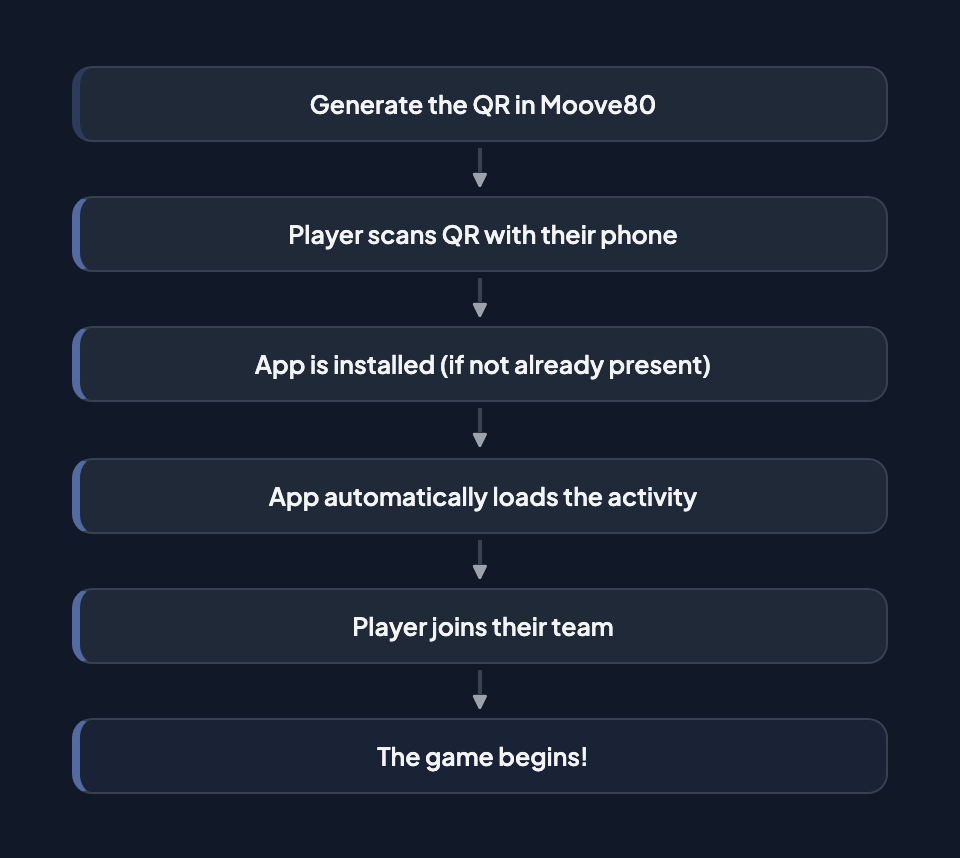
| QR Code | The player scans a QR code, which installs the app and loads the game |
| Deep Link | Direct URL that opens the app and loads the activity |
| Manual | The player searches for the activity within the app manually |
Typical QR Activation Flow
Section titled “Typical QR Activation Flow”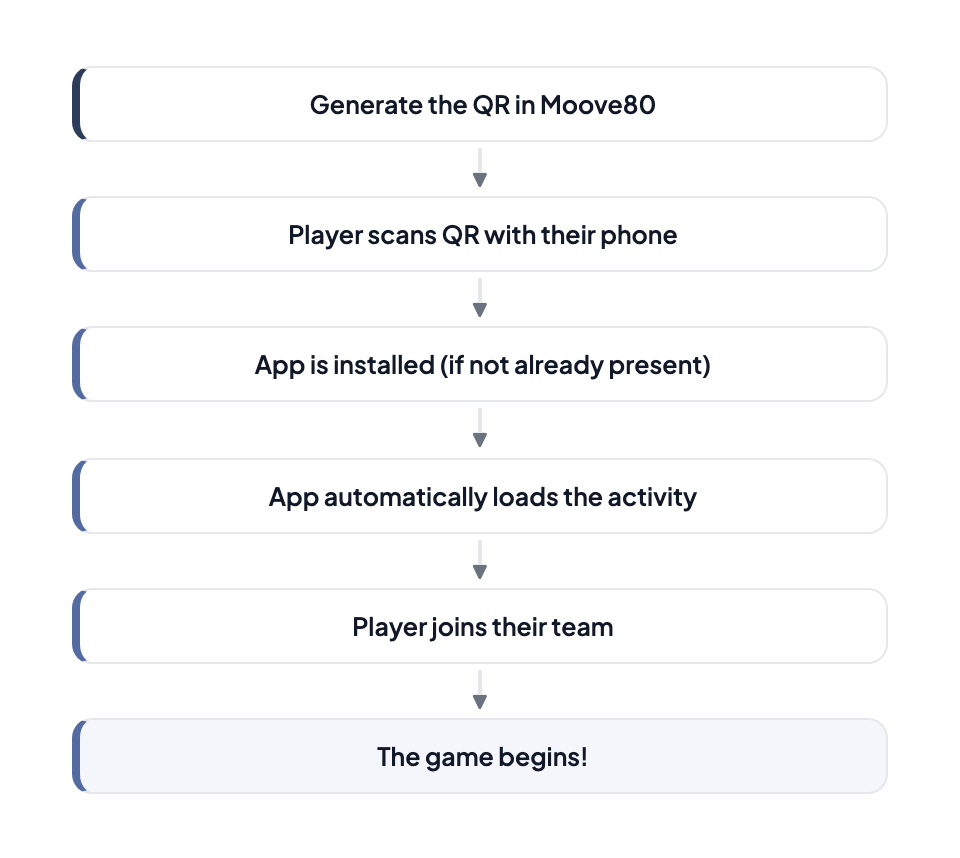
Language Support
Section titled “Language Support”The platform supports 6 languages for its administrative interface and event configuration:
- English
- Spanish
- French
- Dutch
- Polish
- German
Game Modes
Section titled “Game Modes”MooveTeam supports different event formats:
Outdoor
Section titled “Outdoor”- City scavenger hunts
- Treasure hunts in parks
- Urban escape games
- GPS rallies
Indoor
Section titled “Indoor”- Office or meeting room activities
- QR or manual code activation
- Icebreakers and group dynamics
- Gamified escape rooms
Remote / Virtual
Section titled “Remote / Virtual”- Activities played from any location
- Quiz shows via video conference
- Collaborative virtual challenges
Hybrid
Section titled “Hybrid”- Combines indoor, outdoor, and remote elements
- Part of the team on-site, part remote
- Transitions between indoor and outdoor
Game Balance
Section titled “Game Balance”A well-balanced event combines challenge variety, gadget economy, and pacing.
- Challenge variety: Mix 3–4 challenge types per event. Alternating between knowledge (Questions), physical (Physical Activity), creative (Picture/Video), and puzzle (Puzzle, Guess the Word) challenges keeps teams engaged and lets different team members contribute their strengths.
- Gadget economy: Limit gadget stock to 3–5 per team. Scarce gadgets force strategic decisions — when to sabotage, and who to target. Unlimited gadgets become noise. See Objects / Gadgets — Strategy tips for detailed guidance.
- Pacing with segments: Use segments to control progression. Break long events (2+ hours) into 2–3 segments with natural transitions (rest stops, transport, lunch). Segments prevent exhaustion and create narrative structure.
- Difficulty curve: Place easier challenges first (Hints, simple Questions) and harder ones later (Robots, multi-step puzzles). This gives teams time to learn the app before facing complex mechanics.
For complete event configurations with recommended challenge mixes, durations, and gadget settings, see Game Design Recipes.