

How do I score photo challenges?
Before you start
Section titled “Before you start”- You need an event organizer role
- The event has results (running or stopped)
Score photos (inline method)
Section titled “Score photos (inline method)”
- Open the results for your event (Events list → row dropdown → Results).
- Find photo results showing 0 points.
- Click the points field directly in the table.
- Type the score you want to award.
- Click Save. The change is saved instantly.
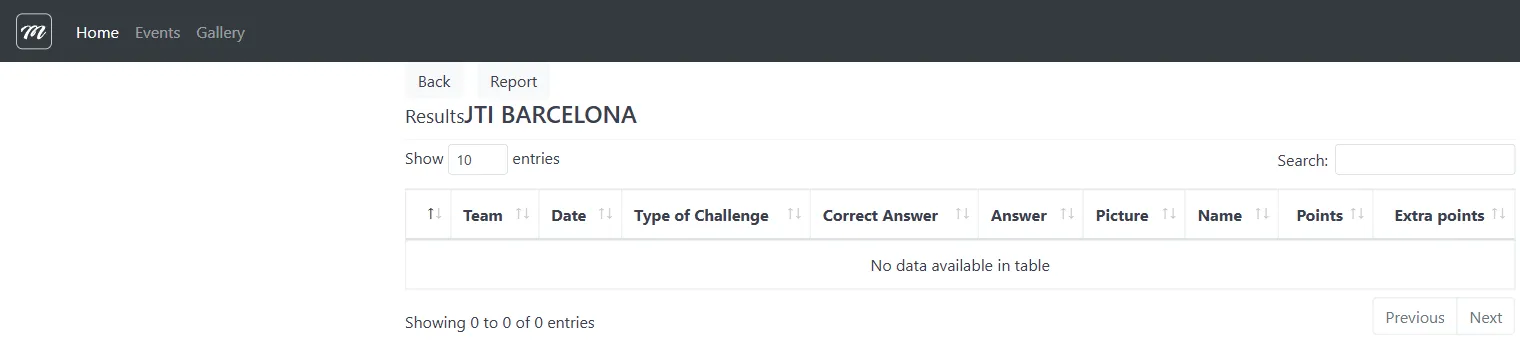
Find all unscored photos
Section titled “Find all unscored photos”Click Photos without score to show only unscored submissions. Work through them one by one.
Score free-text answers
Section titled “Score free-text answers”- From the results list, click the link to Score free text questions.
- You see each team’s response next to the question that was asked.
- Read the response and type a score.
- Click Send for each row.
Result
Section titled “Result”Scores update immediately and the team leaderboard reflects the new totals in real time.
Related pages
Section titled “Related pages”- Results Reference — Full field-level detail on results, reports, and scoring
- How to export results — Download results as an Excel workbook
- Staff Mode (Player App) — How staff use the app to score submissions