How do I set up gadgets?
Before you start
Section titled “Before you start”- The event must be stopped
- Gadgets require MooveXR
- Open your event → Objects / Gadgets tab.
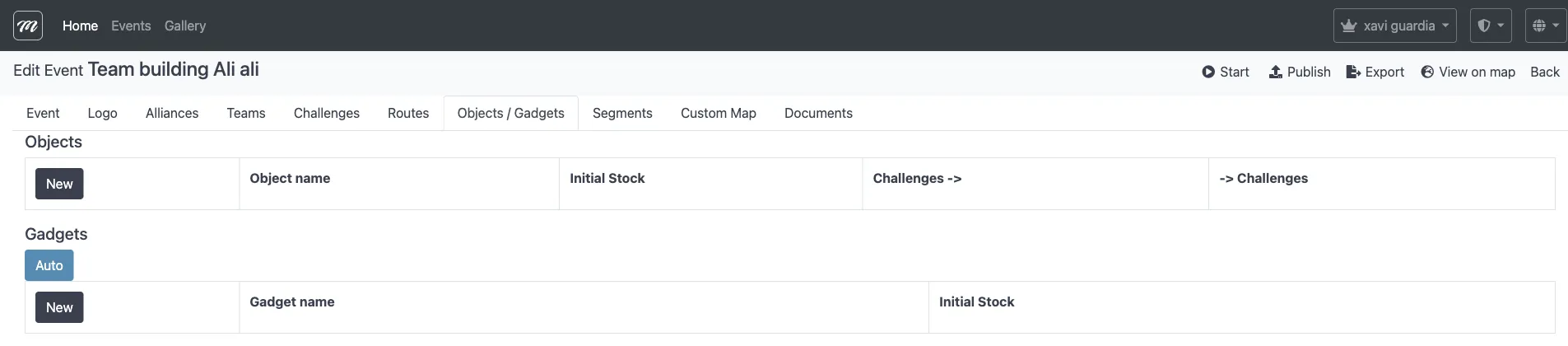
- Scroll to the Gadgets section and click the new page icon.
- Fill in:
| Field | What to enter |
|---|---|
| Gadget name | A display name (e.g., “Bomb”, “Screen Lock”) |
| Initial Stock | How many uses each team gets (e.g., 3) |
| Kind of gadget | The effect type: Bomb, Drunk Screen, X-Ray, Scaring Ghost, Fart, Love, Fireworks, Broken Screen, Inverted Screen, or Lock Screen |
| This gadget can be picked up | If checked, the gadget can be obtained from challenges or sent between teams |
- Click Save.
- Repeat for each gadget type you want in the event.
Result
Section titled “Result”Each team starts the event with the configured stock of each gadget. During gameplay, teams can send gadgets to rivals — the effect temporarily disrupts the receiving team’s app (e.g., flipping their screen, blocking input, or showing a visual distraction).
For field-level detail and strategy tips, see the Objects / Gadgets reference.